

MagicWidgets: Themepack & Icon
One Office Premium
Screenshots
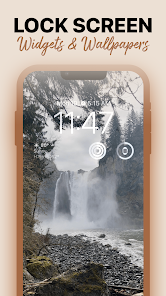
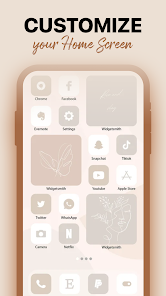
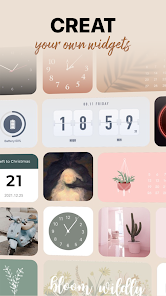
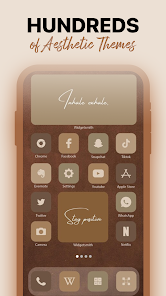
Overview
The developer's short description states: “Customize home screen however you like to achieve happiness and satisfaction!”.MagicWidgets: Themepack & Icon is an Android title from One Office Premium. The public listing reports 5M+ installs. Its listed rating is 3.3 out of 5. The feature topics, distribution route and developer information below help you decide whether it fits your needs.
Features
- Productivity app A Productivity app published by One Office Premium.
- 5M+ installs Google Play reports 5M+ installs, a reliable sign of an active user base.
- Optional in-app purchases Free to install; in-app purchases are optional.
- Android 5.0+ Runs on Android 5.0 or newer.
- Rated Rated for 3+ Content rating Rated for 3+ on Google Play.
Listing assessment
This assessment is based on public listing information; it is not a hands-on test or an authentication of user testimonials. This language page directs you to Google Play, where the current price, device support and account requirements can be checked.
Pros
- Wide compatibility Works from Android 5.0, so older phones are fine.
Cons
- Shows ads The developer monetises with advertising.
- In-app purchases Some content is paid.
Feature and review topics in the reference listing
Pros
Complete Themepacks
Live Wallpaper Gallery
Cons
Battery and Performance Impact
Launcher Dependency
AllofAPK · 2026-09-30
Frequently asked questions
Who develops MagicWidgets: Themepack & Icon, and what is its package?
The listed developer is One Office Premium, and the Android package is com.magicwidget.themepack.iconchanger.allfree. Use both to distinguish similarly named applications.
Where does the download button go?
It opens Google Play. Check the store for the current price and supported devices.
Which version and file size are listed?
A version and size have not been confirmed for this language.
Is it free to use?
The initial download is listed as free. Optional features or subscriptions may have separate charges.
How do I install the APK?
Download the file from the version page, open it on your Android device and allow installs from this source when prompted. XAPK bundles need the APKPure app or a split-APK installer (see the install guide in the footer). Always prefer the latest version unless you specifically need an older build.
How to install an XAPK ›Why does the download or install fail?
Usually not enough storage, an Android version below the requirement (5.0), an interrupted connection, or installs from unknown sources being blocked in settings.
Related Apps
 FaceLab: Face Editor, AgingPhotography4.4 ★
 TickTock-TikTok Live WallpaperTools4.7 ★
 Mirror of Past Life : Magic, PEntertainment3.3 ★
The Choicer VoicerPuzzle1.3 ★
GPS Speedometer: Speed TrackerMaps & Navigation3.1 ★
 4D Live Wallpaper–HD WallpaperPersonalization4.5 ★
 ParkMobile: Park. Pay. Go.Auto And Vehicles4.3 ★
 Santa Prank Call: Fake videoCasual4.0 ★
 Picsart AI Photo Editor, VideoPhotography4.0 ★
 FaceMagic - AI Face EditorVideo Players & Editors3.9 ★
 Reverse Voice - Voice ChangerApplication
 Life Palmistry - Palm & AgingLifestyle4.3 ★
 FWC2026 Mobile TicketsApplication
 Find Your Phone By ClapProductivity4.5 ★